

Manager’s workspace with an AI assistant
One app for your projects, tasks and documents. With an AI assistant configured for your work.
SimplitFor one person: an owner or manager. Installation, configuration and training are included in the price.
Example interface
Demo interfaceAn example of our own workspace screen. Its appearance and contents depend on configuration.
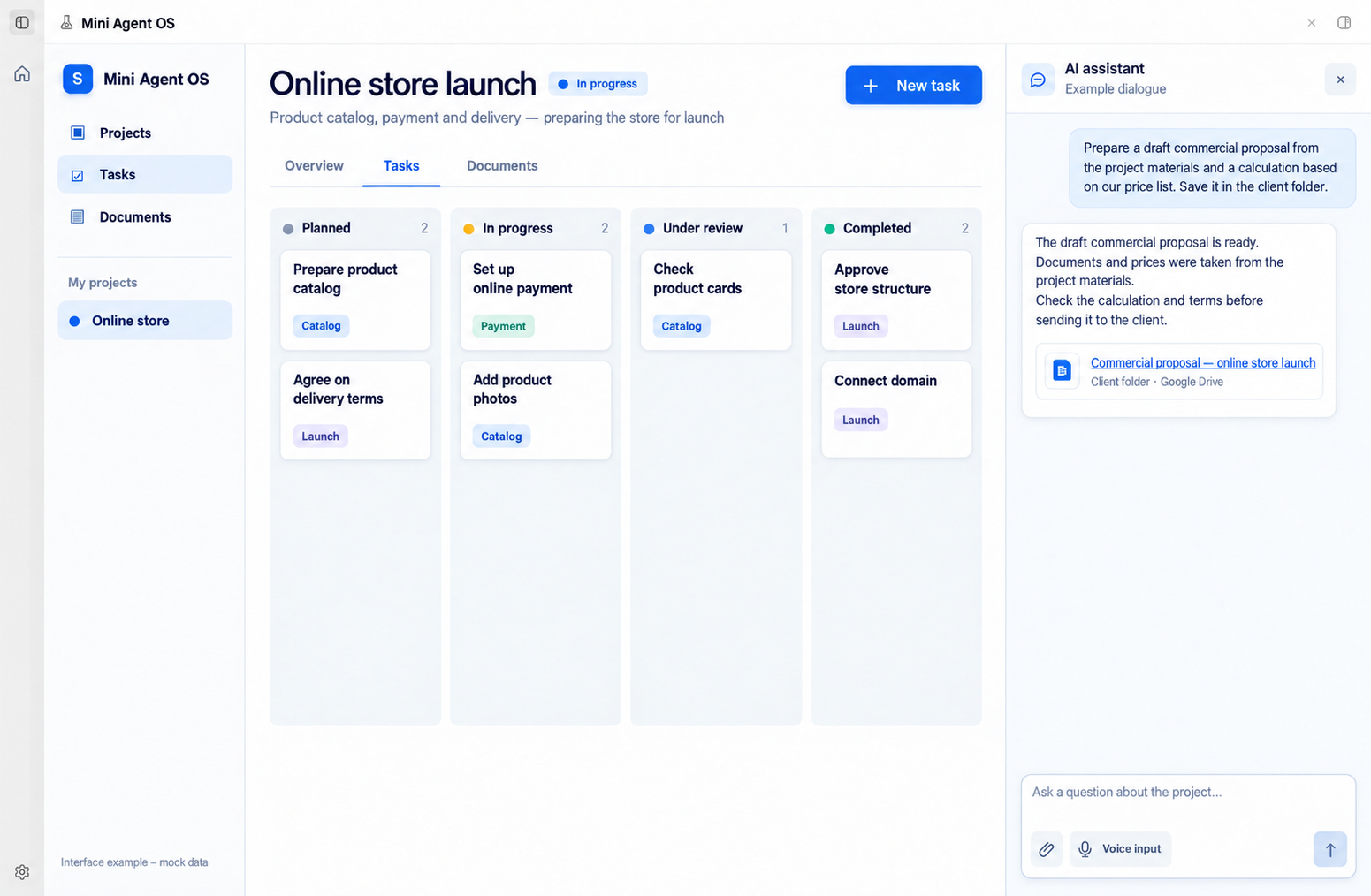
Expanded assistant panel beside the tasks: example conversation and a voice input button. Example interface; fictional data and dialogue.
A working day with an assistant
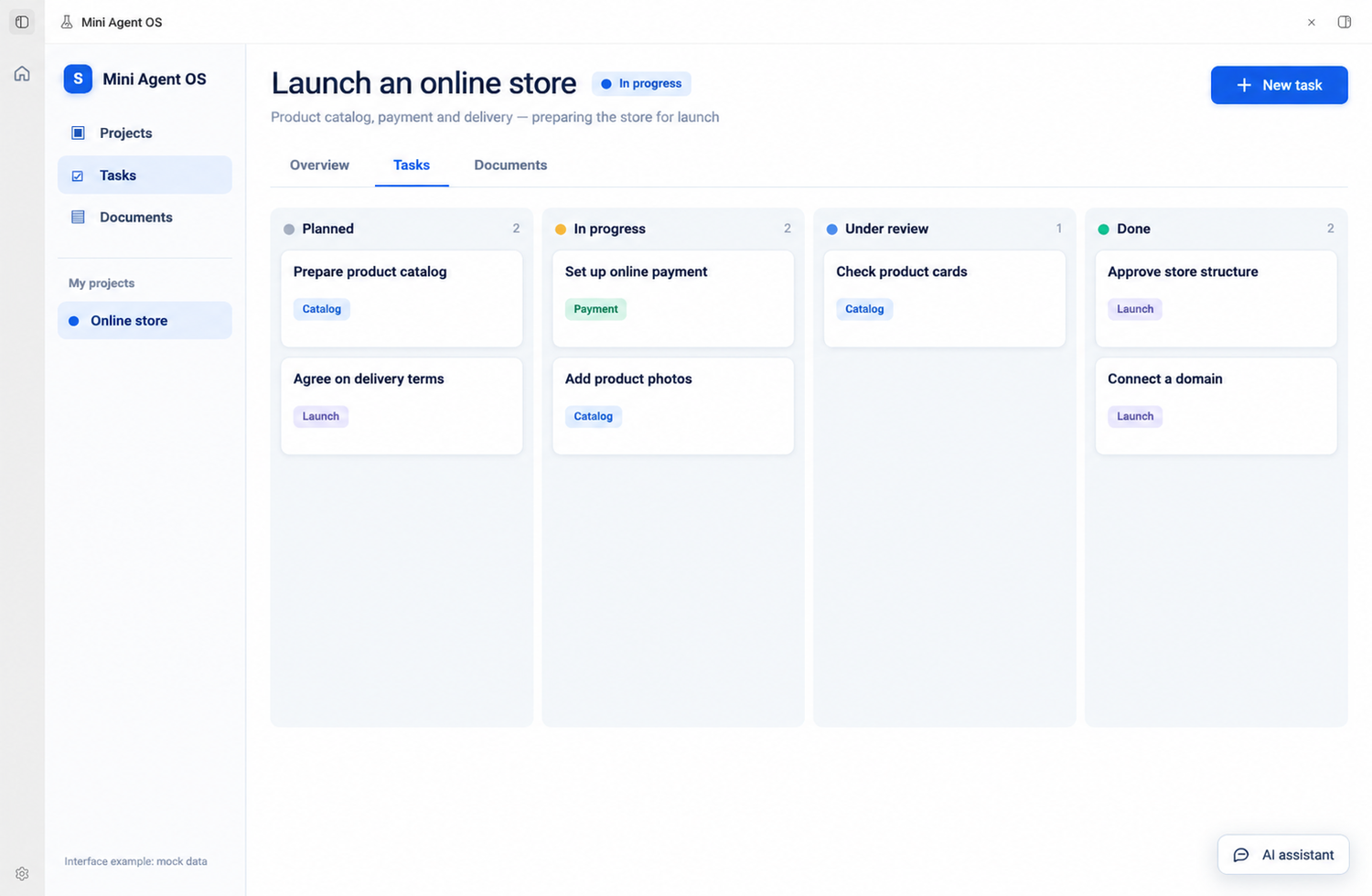
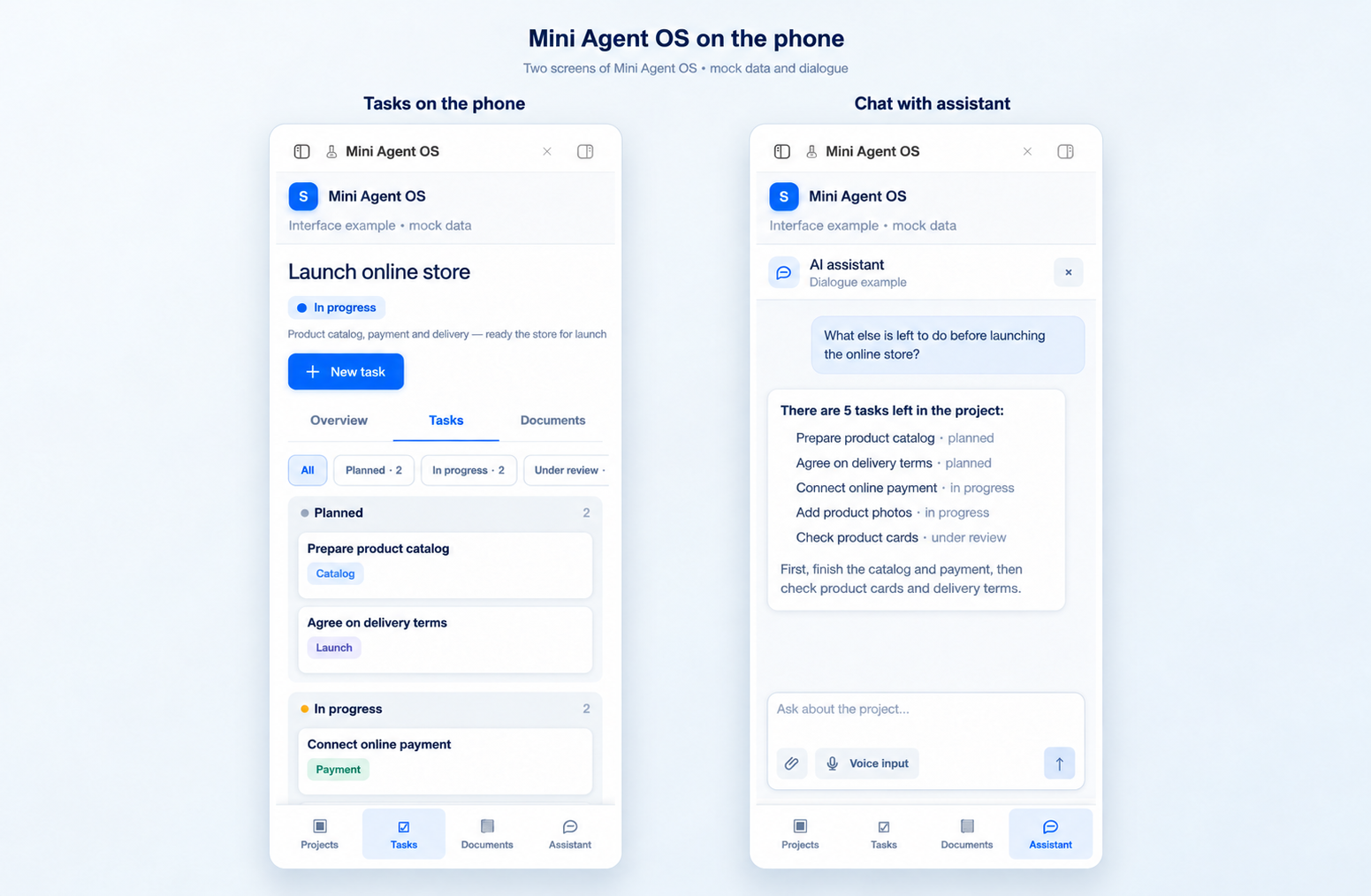
Projects and tasks on your computer and phone
Open a project: tasks, agreements and materials on one screen. The assistant remembers the context; you can discuss the next step or assign a task. Continue the same work from your phone.
The assistant prepares documents
“Prepare a draft commercial proposal from the project materials and a calculation using our price list. Save it in the client’s folder.”
It compiles the draft from your documents and prices, then sends a link to the result for review. Everything is on your Google Drive, in folders.
The assistant does not start from scratch
The system already includes our skills: preparing and checking documents, managing projects and finding weaknesses in a solution. We have refined them in our own work and configure them for you.
At handover, we will work through your first tasks together.
Frequently asked questions
Who is this for?
For one person, an owner or manager handling several projects. If you need a team or financial system, you can start here and connect the rest later.
Why does the computer need to be switched on?
The system runs on your computer or server, rather than in our cloud, so projects and settings stay with you. Your phone connects to it through a secure network. For constant access, the system can be installed on a server.
Where does my data go?
Documents are on your Google Drive. The assistant sends requests to the AI model using your own subscription.
What is a regular scenario?
A scheduled action. For example, a morning overview of the day’s tasks or a deadline reminder. The standard scope includes two such scenarios.
What happens after implementation?
Instructions and introductory training. We work through the first tasks together. Support is optional.
Detailed contents and terms
Projects and tasks in your interface
The workspace shows projects, tasks and project cards. A card can hold the description, important information, documents and links, so the assistant and owner use the same context.
You can ask the assistant to find information, create or update a task and help complete it. Before important actions, it follows the agreed rules and asks for your decision where required.
Documents are stored on your Google Drive in an agreed folder structure. The assistant saves prepared materials and links them to projects; access to folders is granted with your agreement.
We configure proposal and calculation preparation using your supplied materials, prices and terms. You check the result before use. Developing a separate calculator or connecting external price sources is not included in the standard package.
Calendar and regular work
The standard package includes one calendar connection and configuration of up to two recurring scenarios: for example, a daily task overview or deadline reminder. We agree the specific actions and frequency during implementation and test them using your examples.
The profile, preferences and working memory help preserve the chosen way of working. The agent uses saved company and project context; you can refine it and correct information.
The supplied set includes skills for finding unconventional solutions (Out of the Box) and critical analysis: the assistant suggests alternatives, identifies weak points and questions worth checking.
The system on your machine
The main system runs on one of your computers or servers. We connect the phone app to it through a secure private network: projects, tasks and documents are available in the same working environment. For remote access, the main machine must be switched on and connected to the internet.
You pay for the AI model account and subscription separately. The computer, server or hosting remains under your control. The Google Drive account belongs to you; extra storage is paid separately if needed. The main machine must be switched on for scheduled regular scenarios.
What is needed to start
One system owner, a suitable computer or server, a phone, access to a supported AI model, calendar and Google Drive access, and examples of the first projects and tasks. Before installation, we agree access permissions, two regular scenarios and how results will be checked.
Submit a request to discuss your first tasks and installation timing. Before work starts, we record the agreed implementation scope.
What the solution includes
- A personal interface for one owner: projects, tasks and project cards with descriptions, documents and links.
- AI assistant for tasks and documents: preparing draft commercial proposals and calculations from supplied data and prices, saving results and providing a link for your review.
- Simplit Mini OS: skills for document preparation and checking, finding ideas and critical analysis, working rules, owner profile and project memory.
- Connection to your Google Drive: folder structure, document saving and links to materials from projects.
- Connection of one calendar and configuration of up to two recurring work scenarios.
- Installation on one of your computers or servers, connection of a supported AI model, instructions and introductory training.
- Connecting the app on your phone to the same system through a secure private network.
Who it is for
- Entrepreneurs and managers handling several projects who want tasks and materials in one place.
- Specialists who need an AI assistant with work context and clear rules for actions.
How implementation works
- Reviewing your work. We choose the first projects, how tasks are managed, the calendar and up to two regular scenarios.
- Installing the system. We set up the app on one of your computers or servers, connect a supported AI model, one calendar and your Google Drive. We connect your phone to this system.
- Configuring the assistant. We agree the project and folder structure and record your preferences. Using your examples, we check tasks, document preparation, saving and the link to the result.
- Handover for use. We test the regular scenarios together with you, show how to manage the system and hand over instructions.
All implementation terms
€790 is the fixed price for standard implementation for one owner: installing the main system on one machine, connecting the phone app, Simplit Mini OS, projects and tasks, supported AI model access, one Google Drive, one calendar and up to two regular scenarios. The price includes folder structure setup, testing with your examples, instructions and introductory training. Subscriptions, equipment or hosting, subsequent support, extra connections and functions are agreed and paid separately.
Implementation price and terms
€790Implementation for one person on your computer or server, with a phone connection. Before work starts, we check whether the machine is suitable and agree the timing.
One owner · one main machine + phone · Google Drive · one calendar · up to two regular scenarios
Monthly: an AI subscription is usually €20–25. Equipment or hosting, extra Drive space and support, if needed, are separate.