

Berrymore — family assistant
Shared calendar, shopping and reminders — right in the family Telegram chat.
SimplitWhat the solution looks like
Illustrative screens · fictional data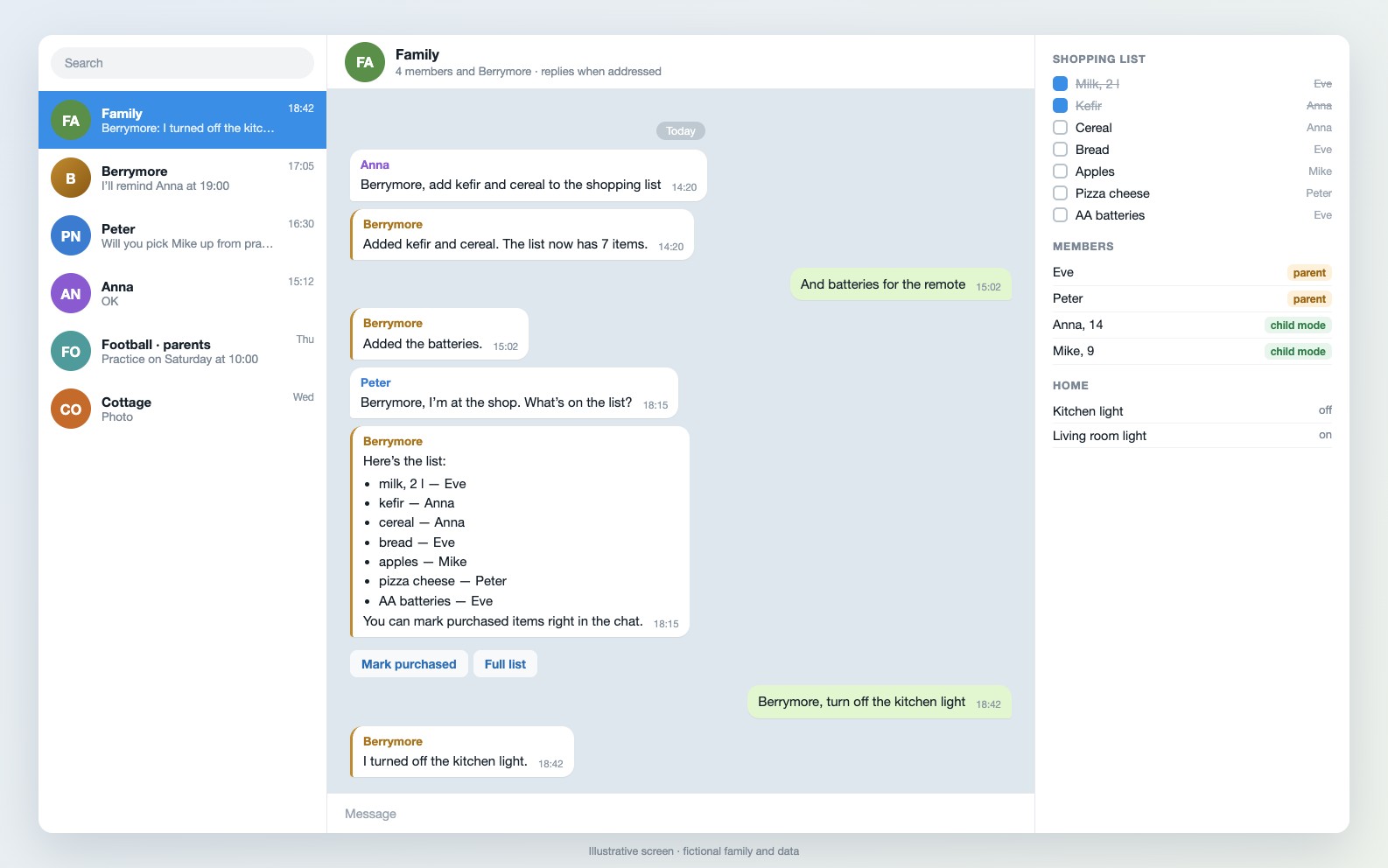
Family chat. Everyone in the family adds to the shopping list, and whoever is in the shop receives it in one message. Smart home commands go through the same chat. Illustrative screen; fictional data.

About the product
Family matters are usually scattered: everyone has their own calendar, shopping lists are kept in people’s heads, and family members remind one another about vaccinations, the dentist, tyre changes and insurance expiry by word of mouth.
Berrymore gathers all this in one place — the family Telegram group. It knows every family member: during setup, the family specifies who is a parent and who is a child. In the shared chat, Berrymore responds only when addressed, and it can also chat privately with any family member.
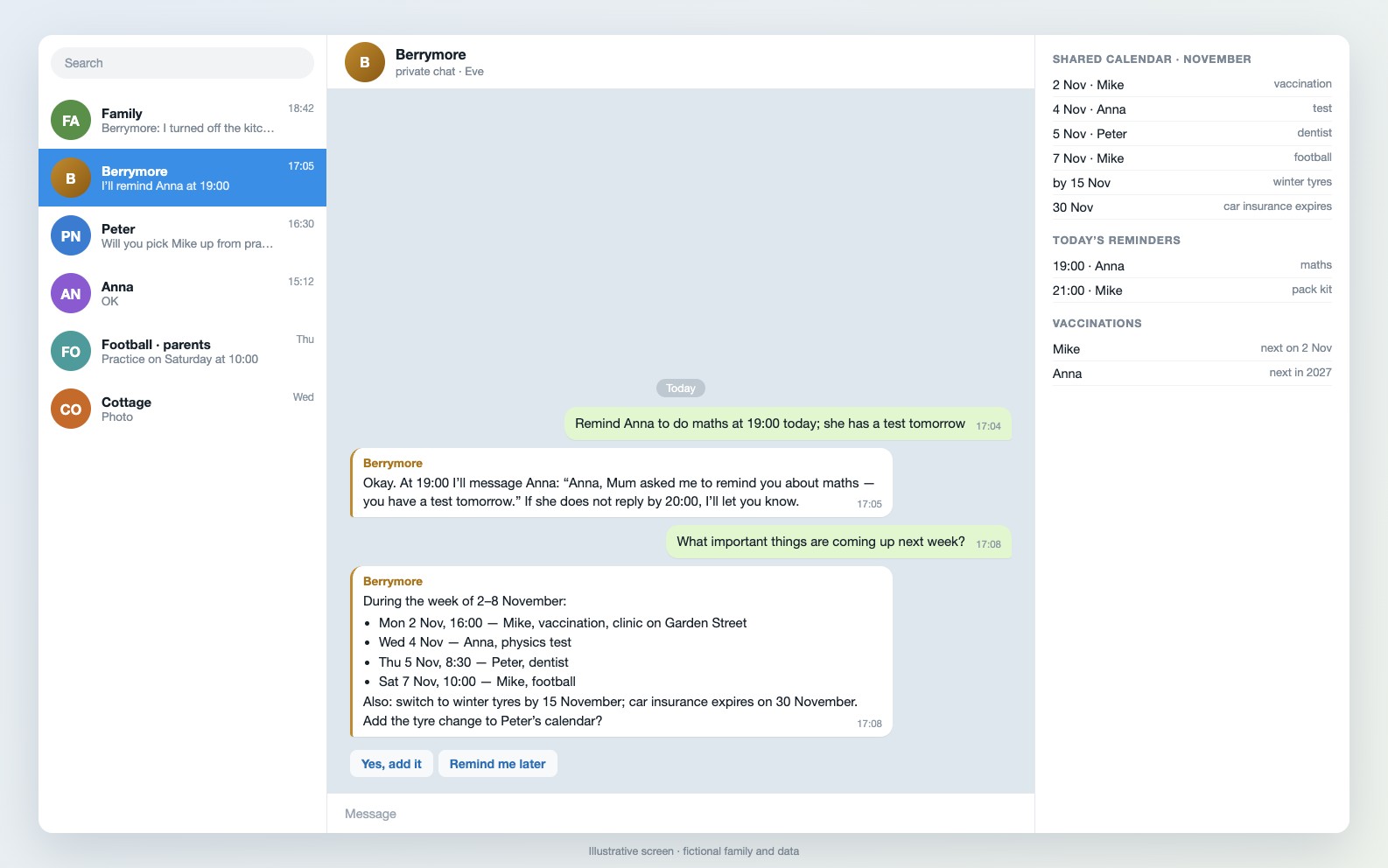
A daughter writes: “Berrymore, note this: buy kefir” — and kefir goes on the shared shopping list. Whoever goes to the shop asks, “Berrymore, what is on our list?” and receives the whole list. Mum asks it to remind her daughter about maths at 19:00 — Berrymore messages her itself at that time. It talks to children under rules set by the parents.
Berrymore runs on a rented server or the family’s home computer; personal calendars and notes are visible only to their owner. The AI service cost usually fits the lowest plan — around $20 a month. We are currently building and testing Berrymore in our own family.
Planned contents
- A shared family calendar and a personal one for each person.
- A shopping list everyone adds to.
- Reminders for each other: doctors, vaccinations, study, insurance, tyre changes.
- Family recipes and notes — shared and personal.
- Restrictions for children under parents’ rules.
- Smart home control: lights and other devices — after separate setup, requiring a home computer that stays switched on.
Who it is for
- Families already using a shared chat.
- Parents who want to understand how AI helps their children.
How it is intended to work
Connecting to the chat
We add Berrymore to the family Telegram group and identify who is who.
Setting rules
Parents decide what can be discussed with children and who can see what.
Transferring important information
Doctor and vaccination dates, insurance expiry dates, timetables, favourite recipes.
Connecting the home
Optionally — lights and other smart home devices through the home computer.
Development status
The product is in development. The description shows the intended scenario; the contents of the first release, timing and price have not yet been defined.